Bringing AI to Real-Time Data: The Diffusion MCP Server
November 5, 2025 | DiffusionData
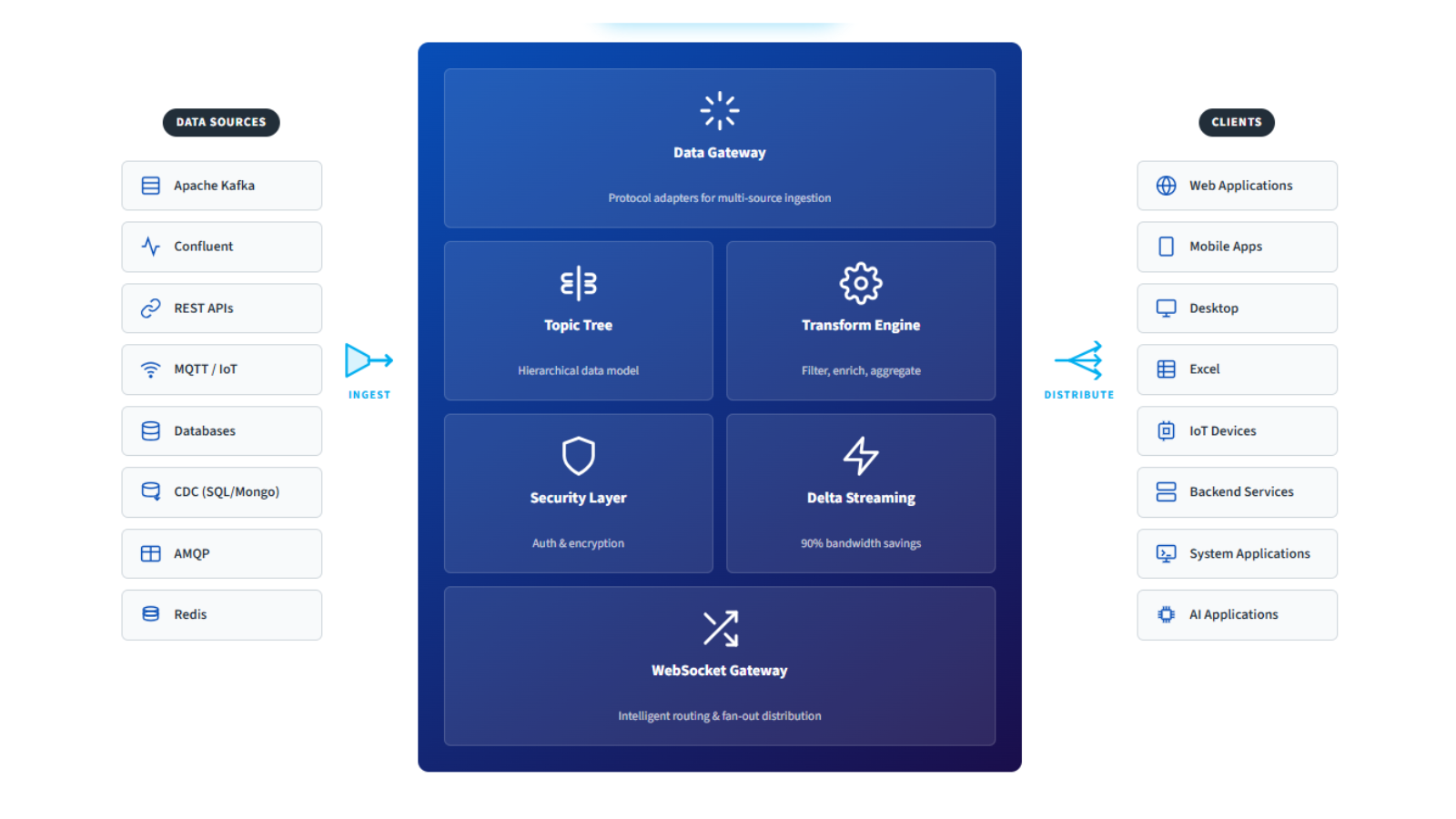
Real-time data streaming and AI assistance don’t often cross paths, but the new Diffusion MCP Server changes that. It connects AI assistants, such as Claude directly to DiffusionData’s real-time data streaming platform (Diffusion™), making rich but often complex APIs and documentation considerably easier to work with.
What is MCP?
The Model Context Protocol (MCP) is an open standard that lets AI assistants interact with external systems through a standardised interface. Rather than just discussing systems, they can actually query them, manipulate them, and work with them in real-time.
Once connected, the MCP Server opens up two complementary ways to use AI with Diffusion … Watch the short demo below.
Two Main Use Cases
The Diffusion MCP Server works particularly well in two quite different scenarios:
1. Development Aid: An AI-Powered Diffusion Guide
Anyone who’s wrestled with Diffusion documentation whilst trying to work out topic selector syntax or topic view specifications will appreciate this. The MCP Server effectively turns your AI assistant into a Diffusion consultant who doesn’t just explain things but actually shows you how they work.
From Natural Language to Action:
Rather than trawling through API docs, you can simply ask:
- “Show me what topics exist under the sensors branch”
- “Create a JSON topic for storing user preferences with compression enabled”
- “Help me set up a topic view that splits my market data by currency pair”
Your AI assistant gets a proper understanding of Diffusion concepts through the MCP Server’s contextual help system, which covers topics, sessions, metrics, topic views, and more. It’s like having an experienced colleague looking over your shoulder, except they can actually run commands and show you the results straight away.
Learning by Doing:
For developers new to Diffusion, the MCP Server is particularly useful. You can explore the topic tree structure, play around with topic selectors, try different configurations, and see what various properties actually do (all through conversation). Your AI assistant will:
- Explain concepts without the jargon
- Show you the actual syntax and parameters you need
- Run commands and explain what happened
- Help troubleshoot when things go wrong
- Walk you through trickier features like topic views and session trees
Want to understand session trees and branch mapping? Just ask. Your AI will explain it clearly and help you create and test mapping tables, showing exactly how different session properties route to different topic paths.
Testing:
You can use the MCP Server to generate some test topics, demonstrate how to use topic views or session trees against the data and test that they are doing what is expected.
Existing Diffusion users can even copy the persistence files from your production server to a test server so you can explore with your real data. You can then ask your assistant to create both topic views or sessions trees modelled on your actual data and even test that they are working correctly. If you are happy with components, such as topic views that have been created you can simply copy the specifications to your production servers for live use.
2. Operations & Monitoring: Real-Time Insights Through Conversation
In production, the MCP Server becomes a handy monitoring and diagnostic tool. System administrators and DevOps teams can interact with live Diffusion servers using natural language, turning what would be complex queries into straightforward questions.
Conversational Monitoring:
Instead of building custom dashboards or writing custom scripts, you can ask:
- “How many sessions are currently connected from the US?”
- “Show me all sessions authenticated as admin users”
- “Which topics have the highest update rates?”
- “What are the current CPU and memory metrics?”
Problem Solving:
When issues crop up, your AI assistant can help diagnose them:
- “Find all sessions that are authenticated as traders and show their connection details”
- “Check if there are any topics consuming excessive resources”
- “Show me which metrics collectors are currently active and what they’re monitoring”
Ad-Hoc Analysis:
The MCP Server is particularly good at one-off analysis. Create session metric collectors on the fly to monitor specific user groups, set up topic metric collectors to track performance of critical data paths, or query time series topics to analyse historical patterns. All without writing any code.
Alerting:
If you want to be alerted on specific metric-based events you can use the MCP Server to set up metrics alerts. For example, ask it to set up a metric alert that triggers when there are more than 50 connected sessions. Metrics alerts publish to time series topics which you can then subscribe to in an application or even fetch using the MCP Server itself. If you want alerts to tidy themselves up you can ask it to set up an alert that removes the alert topic if it is not updated for 12 hours, for example.
Context-Aware AI That Actually Helps
What makes the Diffusion MCP Server genuinely useful is its contextual help system. Your AI assistant doesn’t just blindly run commands, it actually understands how Diffusion works, best practices, and common patterns. When you ask a question, it can:
- Pull relevant context from detailed guides on topics, sessions, metrics, security, and more
- Explain things properly in terms you’ll understand
- Show you the syntax with actual examples
- Run the operations on your server
- Interpret the results and suggest what to do next
For instance, if you ask about monitoring high-value customers, your AI assistant might:
-
-
- Explain session filters and how they work
- Show you how to query current sessions
- Help you create a session metric collector with the right filtering
- Set it up to export to Prometheus for alerting
- Point out which metrics you should keep an eye on
-
Real-World Examples
Sports Betting Platform:
Your sportsbook uses Diffusion to stream live odds and handle real-time bets. During a major event, some users are getting delayed updates. You ask your AI assistant:
Show me sessions grouped by country and connection type.
Within seconds, you spot that mobile users in certain regions are on slower transports. Your assistant then helps you create a metric collector for that segment and set up alerts if latency gets too high.
Financial Trading:
You’re building a new trading application. You ask:
Help me understand topic views and create one that filters market data based on asset class.
Your AI assistant explains the topic view DSL, shows you examples, helps you write the specification, creates the view, and then helps you test it by fetching data through it.
IoT Sensor Network:
Thousands of sensors are publishing data. You need to work out what’s going on.
Show me the structure of my sensor topics and identify any that aren't publishing data.
Your AI assistant explores your topic tree, works out the hierarchical structure, and helps you create targeted queries to find silent sensors.
Safety and Common Sense
The MCP Server includes sensible safeguards. For destructive operations like removing topics, your AI assistant will always show you exactly what will be affected and ask for confirmation. It understands the impact of broad topic selectors and will steer you toward safer, more specific operations.
These confirmations occur within the MCP Server’s AI interface, not your underlying Diffusion server logic.
Getting Started
Setting up the Diffusion MCP Server is straightforward (full instructions are in the project’s README). Once configured, your MCP-compatible AI assistant can connect to your Diffusion server (local or remote), and you’re ready to explore, monitor, and manage your real-time data infrastructure through conversation.
The future of real-time data management isn’t just about powerful platforms, it’s about making that power accessible. The Diffusion MCP Server does exactly that, turning your AI assistant into a knowledgeable guide and operational assistant for Diffusion, whether you’re learning the platform or running it in production.
Try it
The Diffusion MCP Server is an open-source project that implements the Model Context Protocol for Diffusion.
Just download the latest jar from the project repository and follow the instructions in the README file in the project to get started.
Whether you’re a developer trying to get your head around Diffusion’s capabilities, or an operations team member keeping an eye on production systems, AI-assisted interaction opens up new ways of working with real-time data.
Connect your AI assistant to your Diffusion server and see what it’s like when complexity becomes considerably less complex, and powerful capabilities become as simple as asking a question.
So for example you can try:-
Tell me what you can do with Diffusion
What are topic views?
What are session trees?
How can I create metric alerts?
If you are using an out of the box Diffusion installation you can simply say:-
Connect to the local Diffusion server as admin
Which will connect you with full permissions to do anything.
You could then as it to create some topics – for example:
Create topics to represent a simple market data application
Then perhaps:
Suggest some topic views to use with this topic tree
Or:
Show me how I can use session trees
How can session trees and topic views be used together
There’s virtually no limit to what you can explore and test with the MCP Server. Use it to learn how to use Diffusion or to monitor your server.
We’d love to hear what you build-open an issue or discussion on GitHub.
Whether you’re a developer exploring Diffusion for the first time or an operations engineer managing a live cluster, the Diffusion MCP Server lets your AI assistant act as both tutor and teammate.
Download the latest release, connect it to your server, and experience how real-time data management becomes as simple as asking a question.